


How the registration that precedes the declaration works, who is allowed to do it, and the three points where the operation usually stalls.
You can file a DUIMP without having registered the product in advance. What you cannot do is file a DUIMP whose line item does not match an item in your company’s Product Catalog. The difference between those two sentences is what separates an operation that moves from an operation stuck inside Portal Único, and it is poorly explained in most of what is written about it.
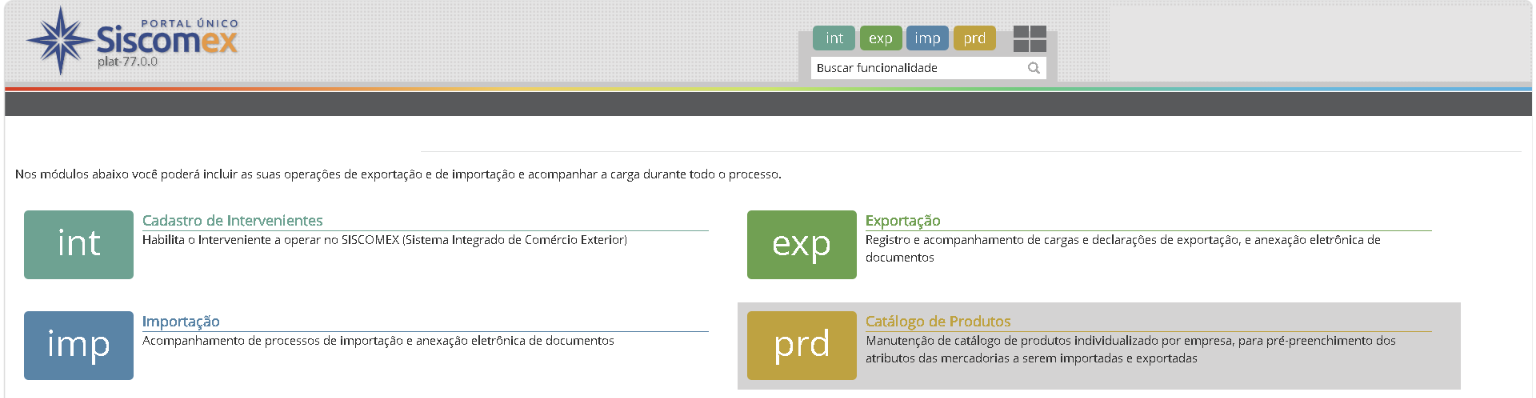
The Product Catalog is the module of Portal Único, the Brazilian single window for foreign trade, where the importer describes the characteristics of a product through attributes, under a reference number. From there the information is reused: when filling in a DUIMP or a license request in the LPCO module, informing the product code is enough for the system to complete the fields of the goods. The official importer manual is explicit that the registration can be done before the declaration or at the time of it.
Ribeiro & Mundial has worked in import for 21 years, and put together what you need to know to build the Catalog without stalling your operation.
What is actually mandatory
There is a single rule: to carry out an import operation with a DUIMP, every line item in the declaration has to match an item in the company’s Catalog. There is no DUIMP with goods outside the Catalog.
What is not mandatory is registering in advance. You can register on the spot: while drafting the DUIMP, the user leaves for the Product Catalog module, registers the item and comes back to add it to the declaration. The DUIMP itself only offers the option of adding a product that is already registered. That sounds like relief, but in practice it is a trap: registration done in a hurry during clearance is what produces generic attributes, divergence between the NCM code and the declared characteristic, and a formal demand from customs later. Registering ahead of time is not a legal obligation. It is risk management.
The product belongs to the root CNPJ, not to the branch
This is the point that most surprises corporate groups. The product is registered and linked to the root CNPJ, the first 8 digits of the Brazilian company tax ID, and can be used by any branch of the same company.
What does not happen is sharing between different companies in the same group. Two distinct root CNPJs, even under the same control, do not use the same Catalog. A group that imports the same input through two of its companies will register it twice, and will have to keep both versions consistent. Planning this in advance saves rework and keeps the same goods from reaching the tax authority described in two different ways.
Attributes change, and they change by NCM code
The Catalog describes the product through attributes, and the list of attributes is defined by NCM code. One NCM can have any number of attributes linked to it, and the relationship between attribute and NCM is updated in Portal Único.
Three behaviors explain most of the confusion when filling in the form:
- Conditioned attribute. It only appears depending on what was answered in another attribute. Stating that the washing machine is for residential use opens a set of fields that would not appear for industrial use.
- Multivalued attribute. It accepts more than one value in the same answer.
- Composite attribute. It represents a concept that is filled in through sub-attributes. Fabric composition, for example, breaks down into fabric type and percentage.
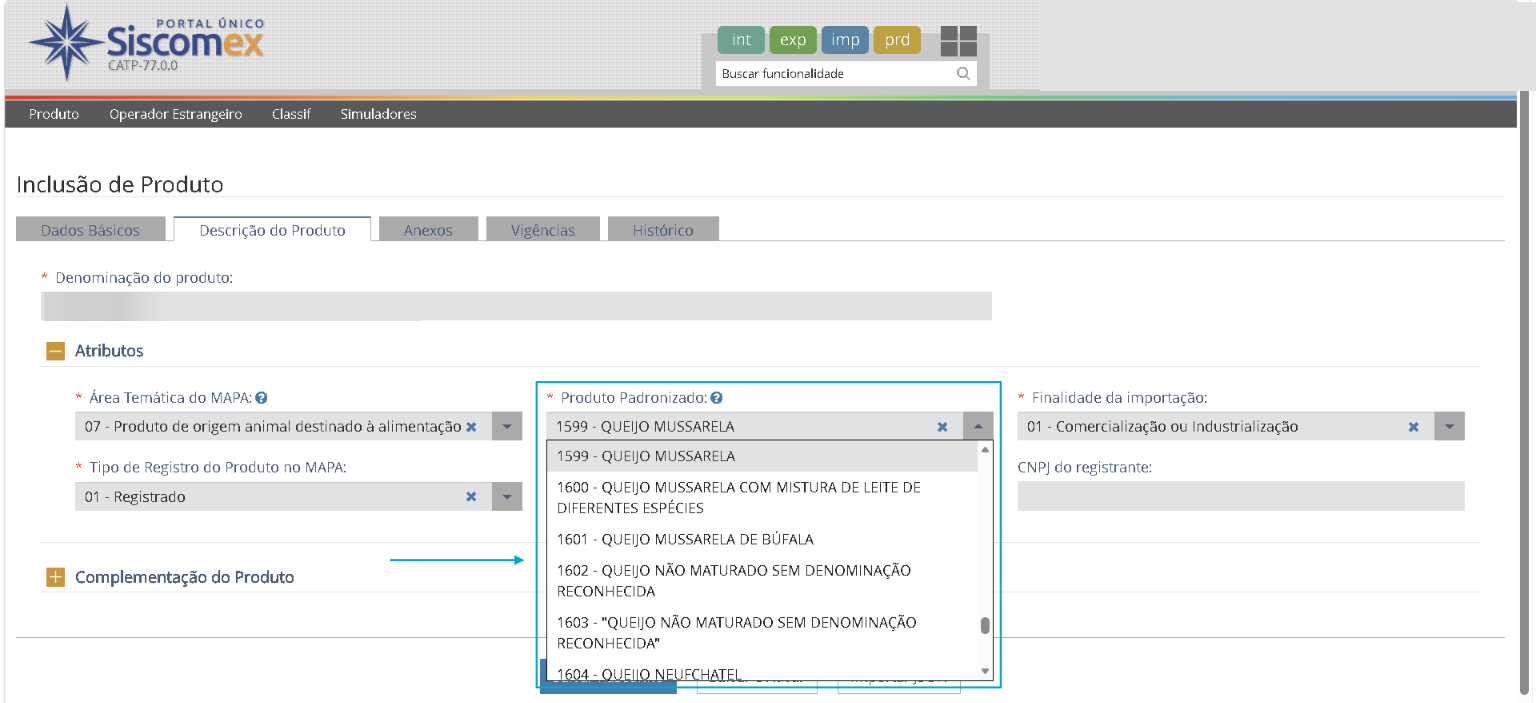
The full list of attributes by NCM is published as a file in Portal Único and can also be queried through a web service, which lets companies with volume plug the check into their ERP.
The Catalog does not classify the goods
This is worth spelling out, because the confusion is common and expensive: the Catalog is not there to define tariff classification. It exists so that the public administration can identify the imported product, for classification and customs valuation purposes. Tariff classification remains the responsibility of the importer.
In practice, a handsome attribute protects no one from a wrong NCM. The analysis of the goods comes first, with the general rules of interpretation, the section and chapter notes and the Explanatory Notes to the Harmonized System in hand. The Catalog is where that analysis shows up in structured form, not where it is done.
Who can register: the Manager profile
Adding and editing a product requires the user to hold the Manager profile in the Product Catalog. Anyone without it can only view the registered product and select it when filing the DUIMP.
The profile is granted by the legal representative of the company, in the Cadastro de Intervenientes module of Portal Único, and access is through a digital certificate. Representation can be given to an officer or employee, a customs broker, an attorney-in-fact or a third party. Third party representation is the only one that does not allow the representative to be named Manager of the Catalog. If the intention is for the customs broker to build and maintain the Catalog, the type of representation has to be right from the moment it is granted, with the Manager box ticked.
Foreign Operator: the sibling registration
The same module is where the Foreign Operator is registered, which can be the manufacturer or the exporter of the product, to then be linked to one or more Catalog items. It can be registered without being linked to a product right away.
When the operator is not known, informing at least the country of origin of the goods is mandatory. It is a simple registration, and a constantly forgotten one, which shows up as a pending item exactly when the cargo is already on its way.
Frequently asked questions
Do I need to register the product before filing the DUIMP?
Yes. The DUIMP line item has to match a Catalog item, and the declaration only offers the option of adding a product that is already registered. There is no filling in a new product inside the DUIMP. What you can do is register on the spot: while drafting the declaration, the user leaves for the Product Catalog module, registers the item and comes back to add it.
Even so, the recommendation is to register beforehand. Registration done under clearance pressure is where generic attributes and divergences that turn into formal demands are born.
Does each of my branches have to register the same product?
No. The product is linked to the root CNPJ and is valid for any branch. What is not shared is the Catalog between different root CNPJs, even inside the same economic group.
What happens if I change a characteristic of the product?
The module works with versions, and a product can be active, inactive or in draft. The change creates a new version from the product query screen, an action available to whoever holds the Manager profile.
Does the Catalog solve my tariff classification?
No. It structures the description so that the tax authority can identify the goods. Responsibility for the NCM is the importer’s, and a definitive and binding classification is obtained through a formal ruling request to the Brazilian Federal Revenue Service.
How Ribeiro & Mundial handles it
Now that you know what Portal Único requires, the next step is to look at your portfolio and find out how many products are registered with generic attributes or without a Foreign Operator linked. There are almost always more than the team imagines.
Ribeiro & Mundial handles import clearance and foreign trade consulting, with the operation led by a Federal Customs Broker, registration 4D.0.366, responsible for the first DUIMP cleared at the Port of Suape, in 2024. We build the Product Catalog together with the tariff classification analysis, which is where the risk actually sits. Talk to our team.
This content is for guidance only, current as of November 2026, based on version 18 of the Portal Único manual for Importer, Foreign Operator, Product Catalog and Classif. Brazilian customs legislation changes often: confirm the rule in force on the date of your operation.


